Talk to your money. Build on Synci.
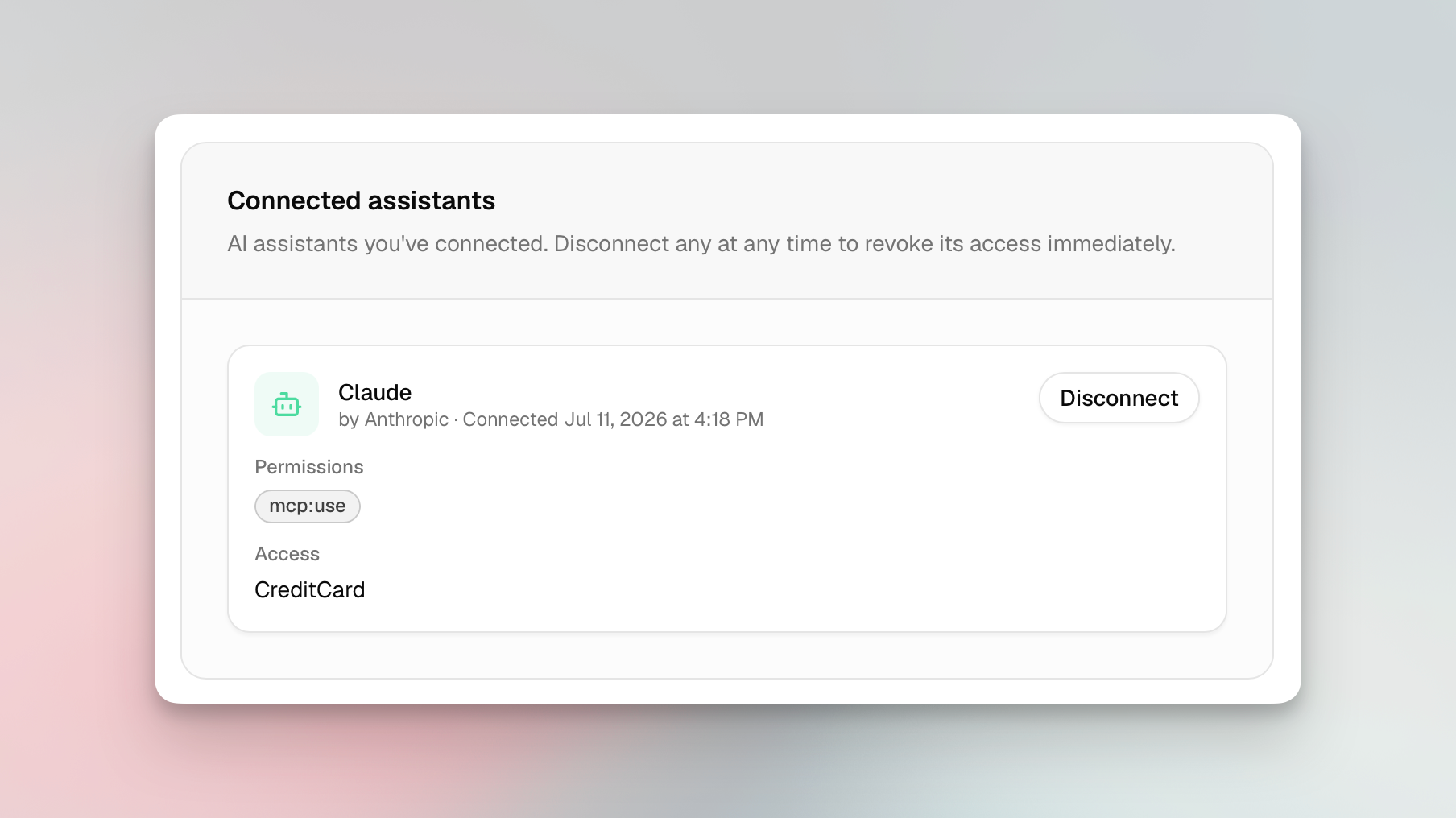
Some exciting new features went live this week! You can now connect an AI assistant to Synci and ask about your money in plain language, developers can build OAuth apps that other Synci users authorize, and if you bank in New Zealand, you can now connect your accounts through Akahu.
Talk to your money: connect an AI assistant
Synci now runs a read-only MCP server (Model Context Protocol, the open standard AI clients use to talk to tools). Point an MCP-compatible assistant like Claude, ChatGPT, or Perplexity at Synci, sign in once, pick which accounts it can read, and start asking:
"What's my balance across all my accounts?"
"What did I spend on groceries last month?"
"What are my crypto holdings worth now, and what's my profit and loss?"
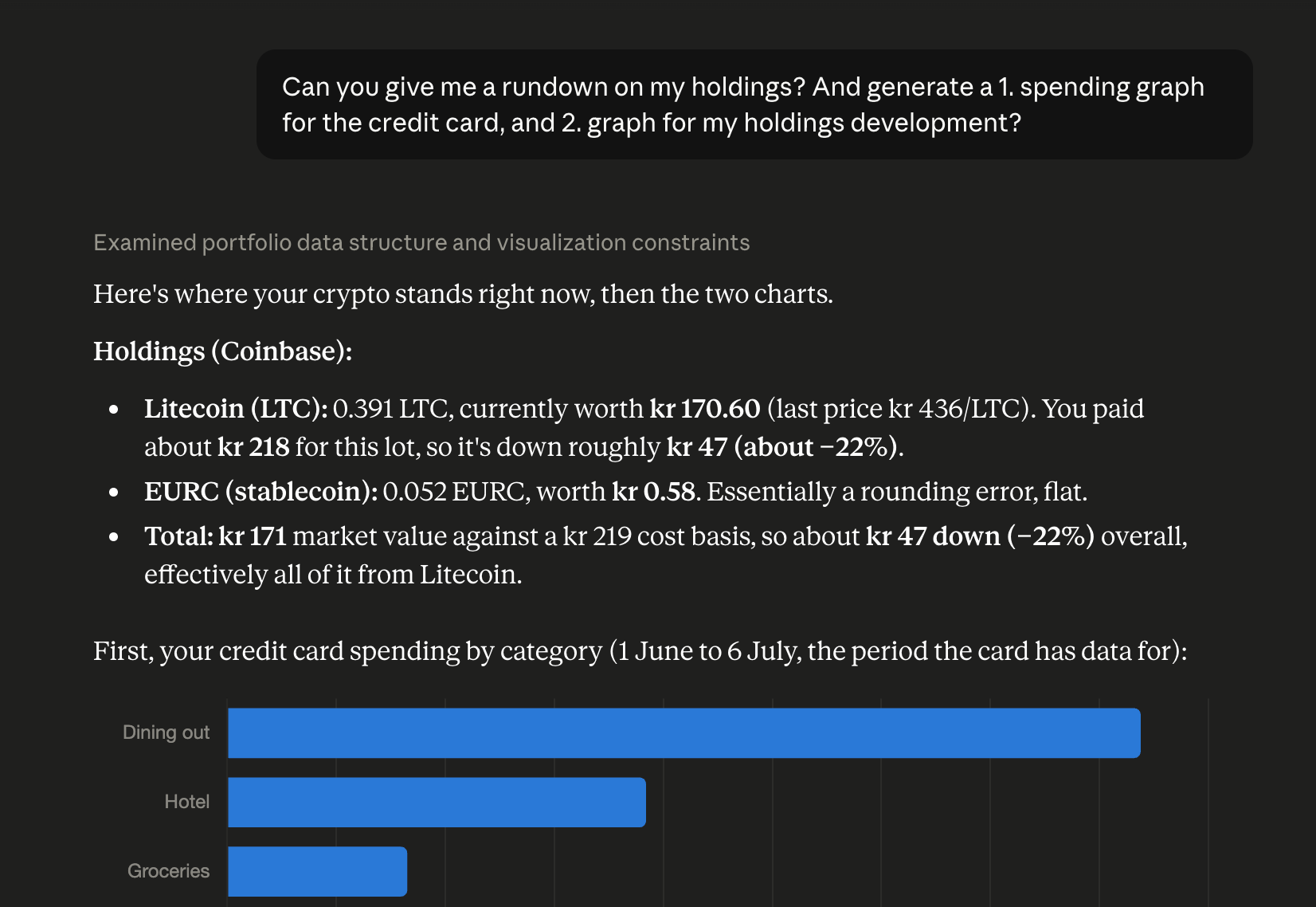
It reads your real numbers, so it can summarize and chart them too. Try "chart my spending by category for the last three months" or "give me a monthly rundown of income vs expenses." Everything's read-only and scoped to the accounts you choose, nothing gets pushed anywhere, and you can disconnect any time.
Five tools are live today (accounts, balances, transactions, holdings, and connections), and clients pick up new ones automatically. Find it under AI Access in your dashboard, along with setup steps for popular assistants.
OAuth apps: Connect with Synci
Building on the Synci API has meant using a personal access token, which only reaches your own account. Now you can register an OAuth app and let any Synci user grant it access to their data, on a Synci consent screen, scoped to the accounts they pick, and revocable anytime. Your app never touches their password or token.
It all lives in the new Developers > Apps area: register an app with redirect URIs, scopes, and branding; get confidential client credentials (secret shown once, rotatable); and run it through a review flow with a Testing state and invited testers. Once approved, you can list it in Synci’s directory for users to discover.
Personal access tokens and webhooks are still there for direct, server-to-server access to your own data. Financial data stays read-only, with no write scope for accounts or transactions.
Privacy and permissions
Explicit consent and revocation. You authorize every app or assistant on a Synci consent screen, choose which accounts it sees, and can revoke it instantly.
Least privilege. Apps and assistants only get the scopes they asked for and the accounts you picked.
Sensitive identifiers hidden by default. AI assistants can never see your IBANs, account or card numbers, phone numbers, or account-holder names. They are also disabled for third-party apps, unless they request the "sensitive identifiers" permission, which is flagged clearly before you approve.
Email notifications when an app connects, disconnects, or is removed.
New Zealand banks, via Akahu
If you're in New Zealand, you can now link your bank accounts through Akahu, New Zealand's open banking platform. Browse what's supported at synci.io/banks (filter by New Zealand).
A few things NZ users will notice:
No consent expiry. NZ connections use enduring consent, so there's no expiry clock, no renewal emails, and nothing to reconfirm. Connect once and it stays connected until you say otherwise.
Near-real-time transactions. Akahu pushes new activity to Synci as it happens, with a nightly reconciliation sync as a backstop, so your data is often fresher than a polling schedule allows.
One place to manage your banks. NZ connections get a Manage page that opens Akahu's portal, where you can add or remove banks, or revoke access entirely, all under the same consent.
Everything else works like any other bank: read-only access, health monitoring, rules, and transfer links to YNAB, Lunch Money, and Google Sheets, plus API and webhook access. Each NZ connection counts as one connection on your plan, and it's available to everyone, with no special plan or add-on.
Availability
AI assistant access is on all paid plans, OAuth apps are live under Developers > Apps, and New Zealand connections are available to everyone.
Try it
Connect an assistant under AI Access, register an app under Developers > Apps, or add a New Zealand bank from your connections. As always, we'd love your feedback, so drop a note on the feedback board or reach out in the app.