A fresh look for Synci, and a new Raycast integration
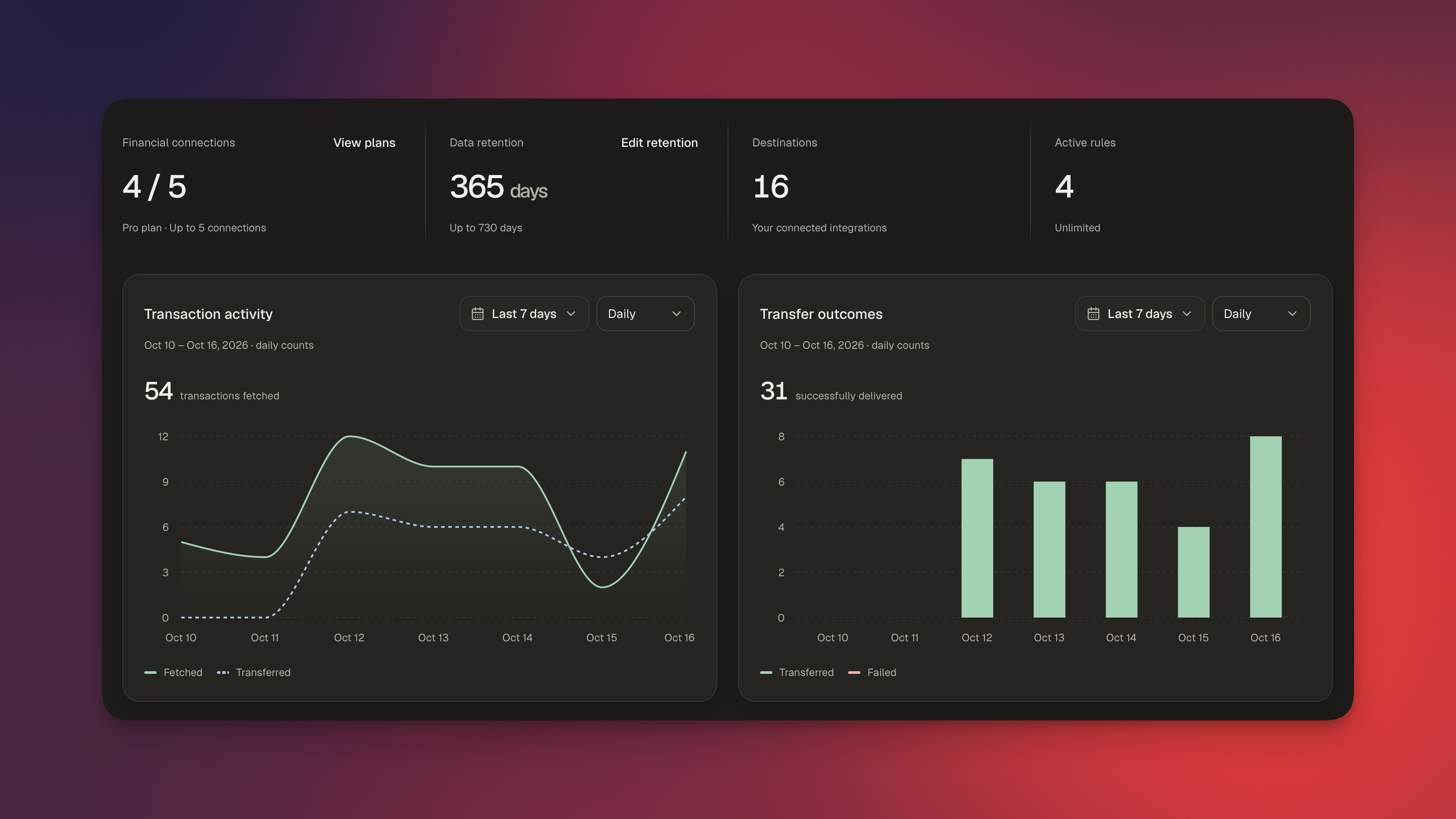
Synci has a new design! We’ve refreshed the app with cleaner layouts, smoother navigation, and a better experience on smaller screens. Alongside the redesign, we’ve improved connection setup and added a new way to explore your finances from Raycast.
A new look throughout the app
From your banks and linked accounts to transactions, rules, and developer tools, the new design makes things more consistent and easier to navigate. Connection health and sync status are easier to spot, and the updated transaction view brings transaction fields, transfer logs, and rule logs together when you need a closer look.
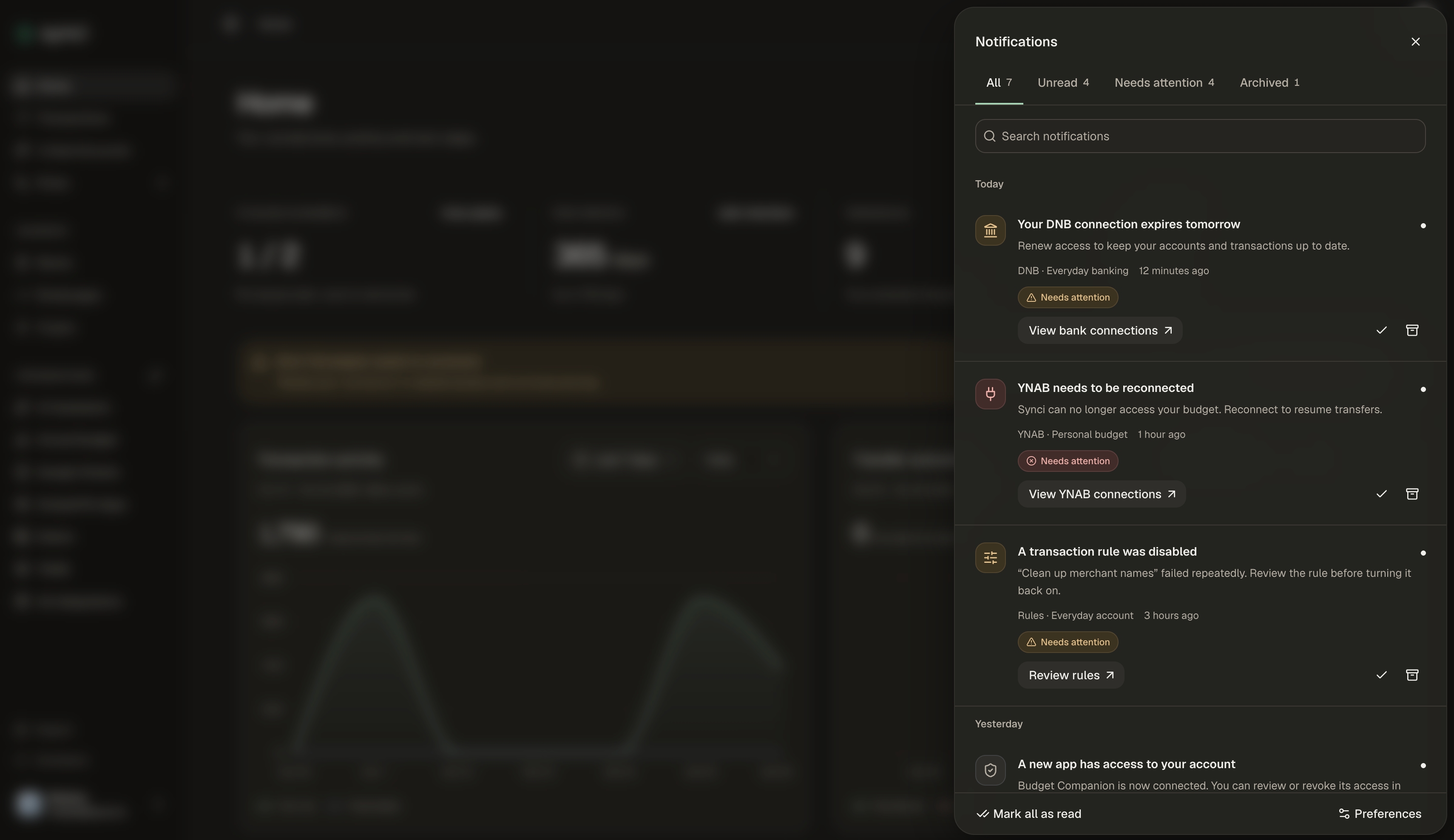
The new notification center keeps connection reminders and other updates close at hand. Open the bell in the top corner to see what needs attention, and choose which notifications you receive by email, in the app, or both.
We’ve also polished light and dark mode, mobile layouts, and the small interactions that make Synci nicer to use.
A smoother connection flow
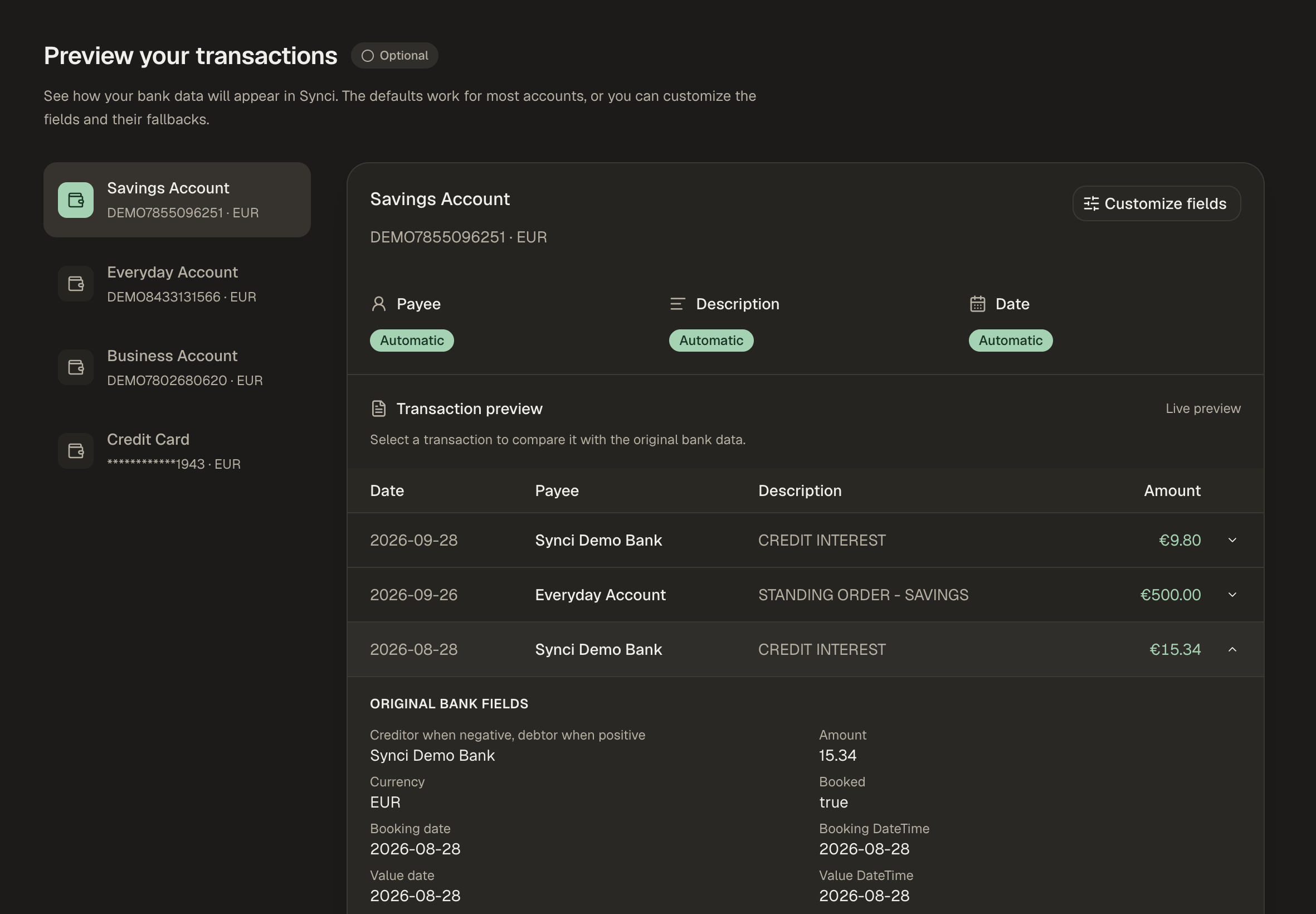
Connecting a bank now takes you through a clearer setup: choose the accounts you want to add to Synci, set your sync preferences, preview your transactions, and pick where you want to send them.
You can decide how far back to sync and check how your transactions will appear using actual data from your bank. Expand a transaction to compare it with the original bank fields, then adjust the payee, description, or date mapping if needed. The defaults still work for most accounts, but when your bank puts the useful information somewhere unexpected, it’s much easier to spot and fix.
You can move between steps to revisit your choices, with changes saved as you go.
Field mapping in the managed portal
Developers building managed apps can now let users configure field mapping directly in the Synci portal, without building a mapping interface themselves.
Enable Allow field mapping customization in your app’s settings, and users can review and adjust mappings during connection setup. They can also return later using the Mapping button beside an account in the portal.
The option is off by default. If you leave it disabled, setup stays simple: users just choose their accounts. After setup, they return to the portal’s connection list, where they can connect another institution.
Your finances in Raycast
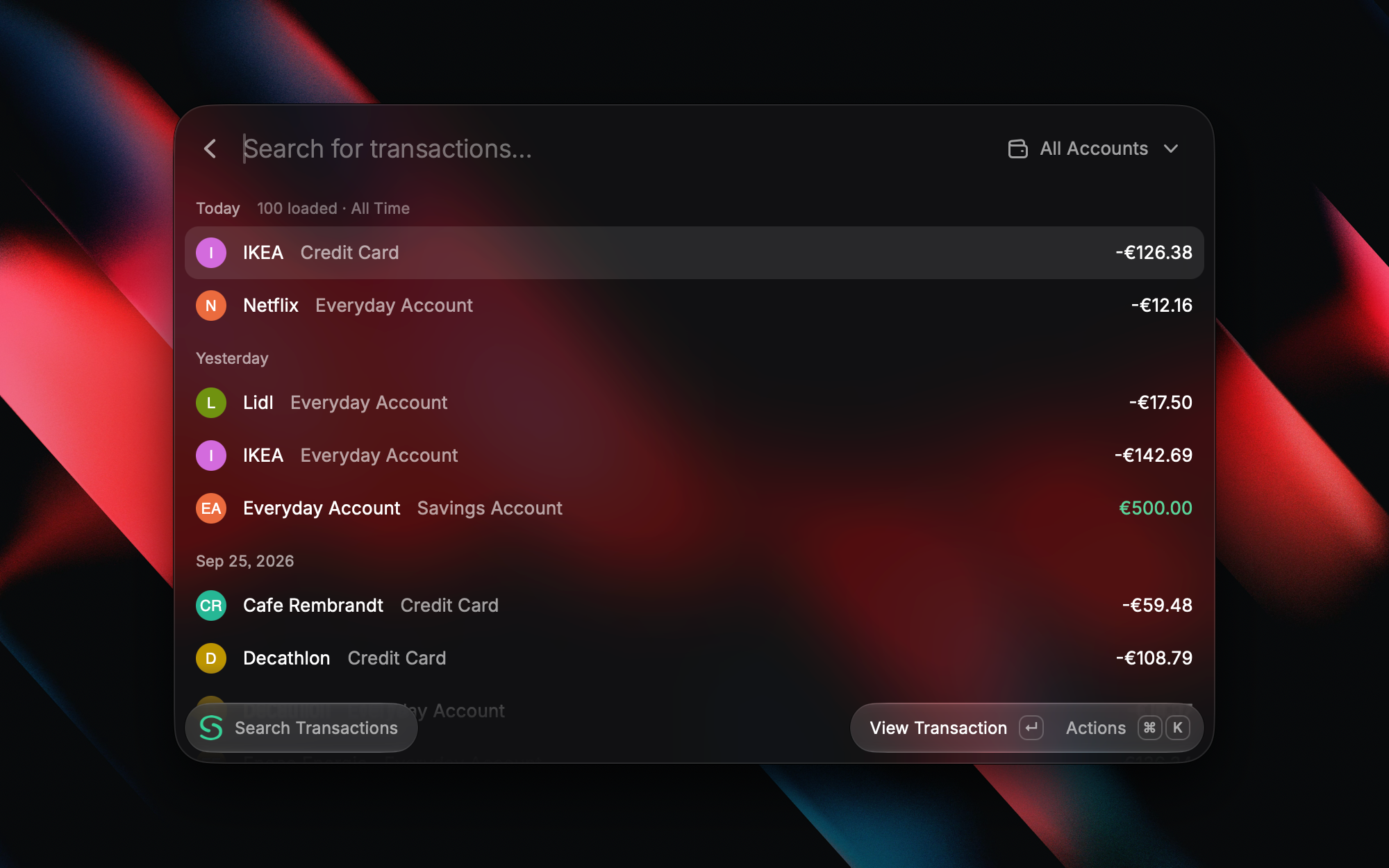
The new Synci extension for Raycast brings your bank, investment, and crypto accounts a few keystrokes away.
Find transactions by payee, description, or exact amount, with filters for account, date, status, and category.
Check balances and balance history, or browse your investment and crypto holdings.
Explore recent spending with breakdowns by merchant or category.
Check connection status and quickly open Synci when something needs attention.
You can also export transaction search results as CSV or copy them into a spreadsheet. On macOS, an optional menu bar item keeps your selected account balances close at hand.
Ask about your money
With Raycast AI, you can ask questions like “How much did I spend at this merchant last month?” or “Which connections need attention?” Open Ask Synci, or mention @Synci in AI Chat.
AI features require Raycast Pro and an active Synci subscription. The regular commands work independently of Raycast AI.
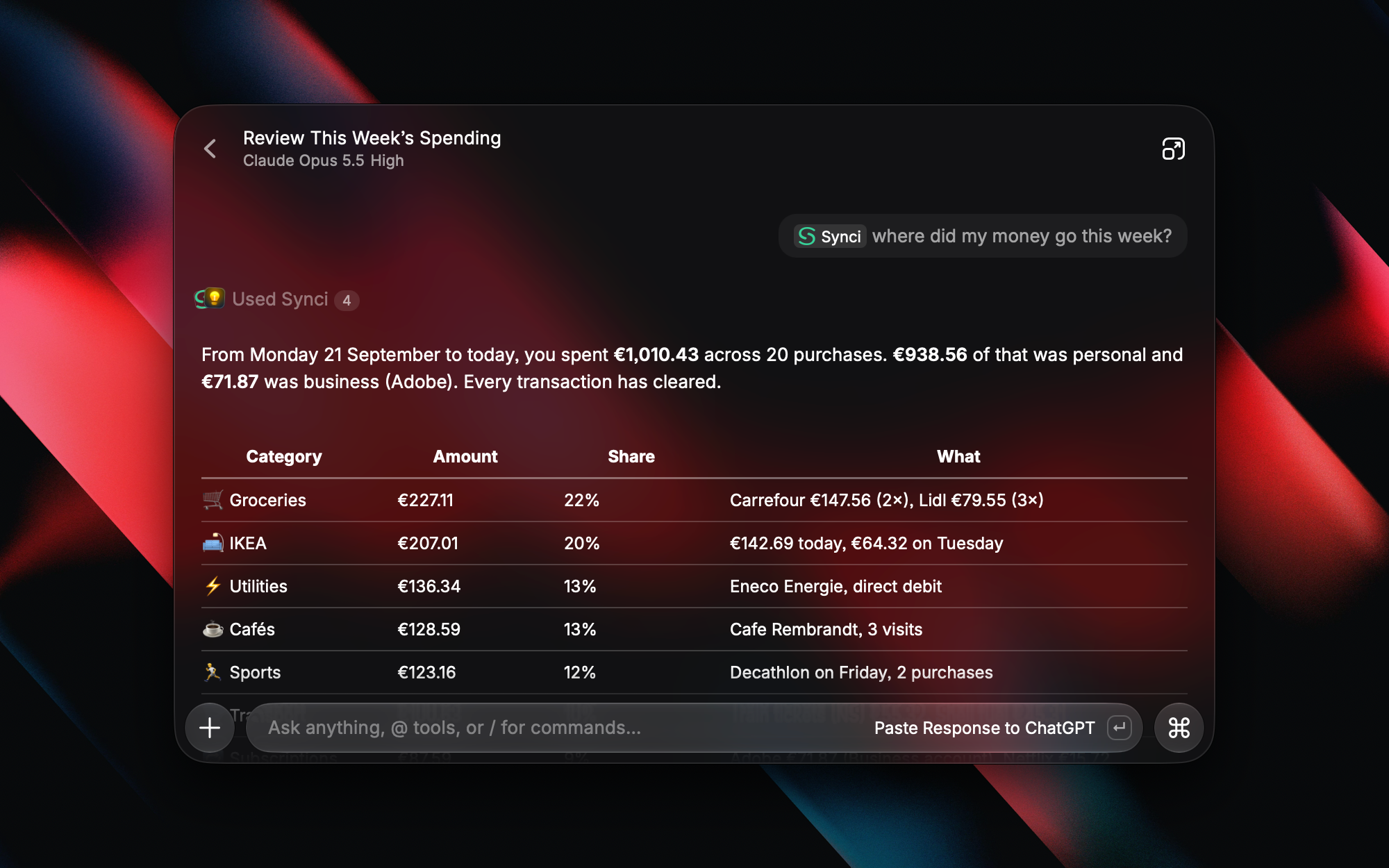
The extension is available on macOS and Windows. Sign in with Synci, choose which accounts to share, and you’re ready to go. Access is read-only, and there are no API keys to configure.