Rule improvements & new flexible pricing
We've shipped two major updates to Synci: a much improved rule engine, and a new pricing model that lets you pay for what you actually use.
Rules: Liquid Templates, Preview, and More
Rules are now powered by Liquid templates, a widely-used, battle-tested template language that replaces our old custom expression syntax. This brings more power, better error messages, and a new way to test your rules before they go live.
Liquid template expressions
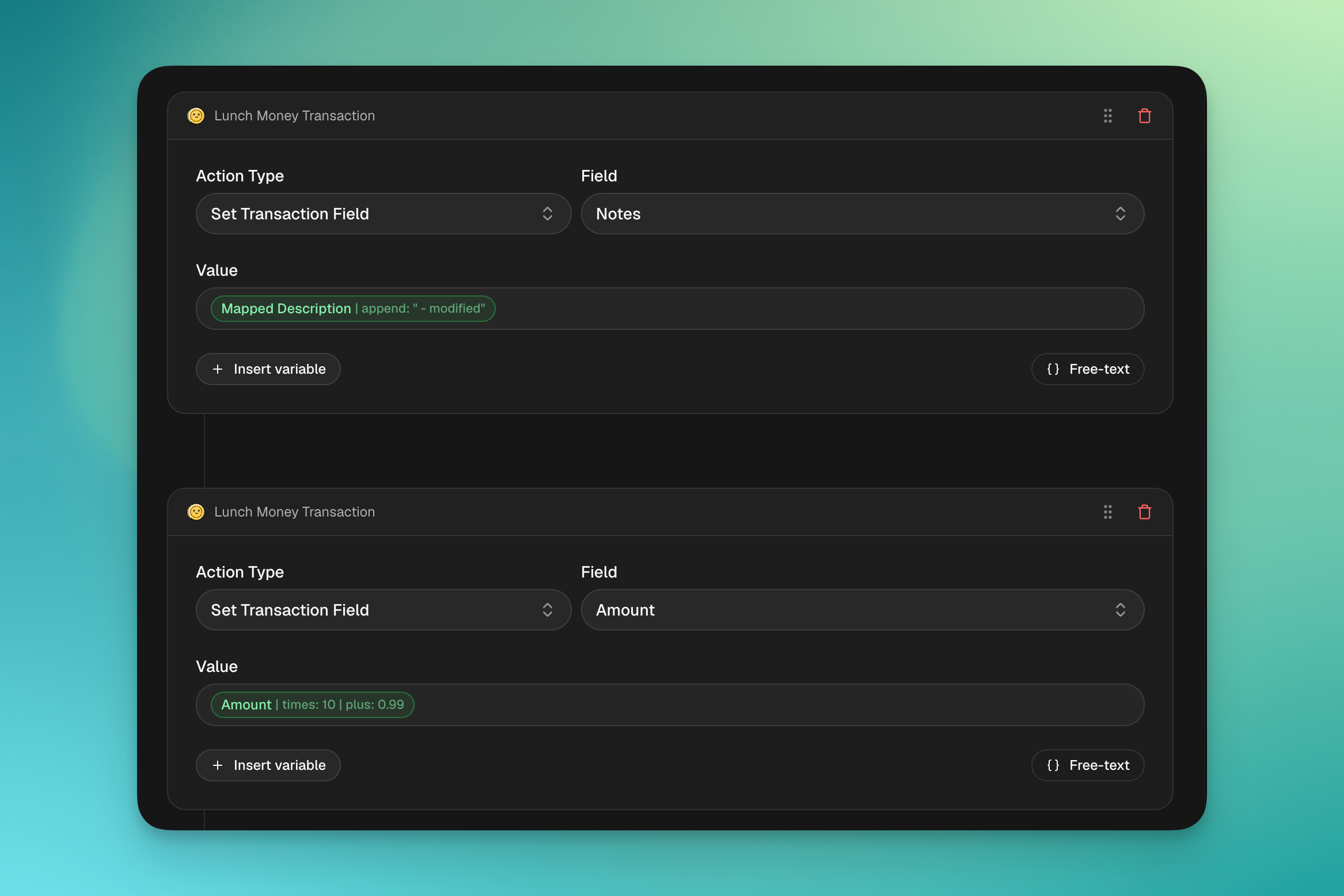
Rule action and condition values now use Liquid templates for dynamic expressions. Reference any transaction field with {{transaction.field_name}} and transform values using modifiers (filters):
{{ transaction.creditor.name | remove: "PURCHASE AT " | upcase }}
{{ transaction.amount | times: 1.21 | plus: 1.50 }}
{{ transaction.booking_date | date_add: 7 }}
{{ transaction.memo | regex_capture: '/Ref: (\d+)/' }}
Modifiers can be chained, where each one passes its result to the next, up to 10 filters per expression. All standard Liquid filters are available (remove, replace, upcase, downcase, truncate, append, prepend, split, and more), plus Synci-specific filters for regex, dates, and positional text operations.
Plain text values still work as-is. No template syntax needed for simple static values like EUR or Groceries.
Easier configuration and UI

Previously, using any variable with a modifier required enabling "Advanced Mode" and manually typing out variable paths, field references, and modifiers in plain text. This meant constantly referring back to our documentation just to configure a rule.
Now, inserting variables is much simpler. In the rule editor, type { to open the variable picker, then select a field from the dropdown to insert it with optional modifiers and presets. You can also type the full variable path manually if free-text is enabled.
Rule preview

A new Preview feature lets you dry-run any rule against your real transactions before enabling it. Select up to 10 transactions, and Synci will show you exactly what would change — field by field, with before and after values.
Preview runs the exact same engine as production, so what you see is what you'll get.
Migration from the old syntax
Existing rules have been automatically migrated to the new Liquid syntax, and should work exactly the same as before. If you have existing rules using the old {field:operation} syntax, here's a quick reference:
For the full list of available fields, filters, and examples, see our updated Rule configuration guide.
New flexible pricing: Pay per connection
We're introducing a new pricing model that gives you more flexibility and control over what you pay. Instead of fixed tiers with a set number of bank connections, you now choose a plan and pay based on the number of connections you actually need.
What's changing?
Our previous three-tier model (Basic, Advanced, Pro) is being replaced with two simpler plans: Basic and Pro, where you only pay for the bank connections you use.
Basic
2 rules per bank connection (1 condition, 1 action per rule)
5 rules attached per entity
5 webhook endpoints per connection
30-day data retention
Sync every 6 hours
Pro
Unlimited rules (5 conditions, 5 actions per rule)
10 rules attached per entity
10 webhook endpoints per connection
365-day data retention
Sync every 30 minutes
Transaction enrichment & AI features
Priority support
Enterprise
For businesses and high-volume users, we now offer custom Enterprise agreements with tailored pricing, dedicated onboarding, and usage-based billing. Contact us to learn more.
Why are we changing?
Our old model forced you to commit to a tier even if you only needed one or two bank connections. The new model lets you start with just what you need and scale up at any time, so you never pay for connections you don't use.
What happens to my current plan?
Nothing changes for existing subscribers. Your current plan, price, and features are fully grandfathered. You'll continue on your existing terms for as long as you'd like. The new pricing only applies to new subscriptions and if you choose to switch voluntarily.
Changing plans is easy
You can adjust your plan, billing interval, or number of connections at any time from your billing settings. When upgrading mid-cycle, you'll only be charged the prorated difference for the remainder of your billing period.